
Instructions for purchasing a number and receiving an SMS code
Step 1. Go to the «Buy Number» page and select the required service or country
Select the required service or country for which activation is required.
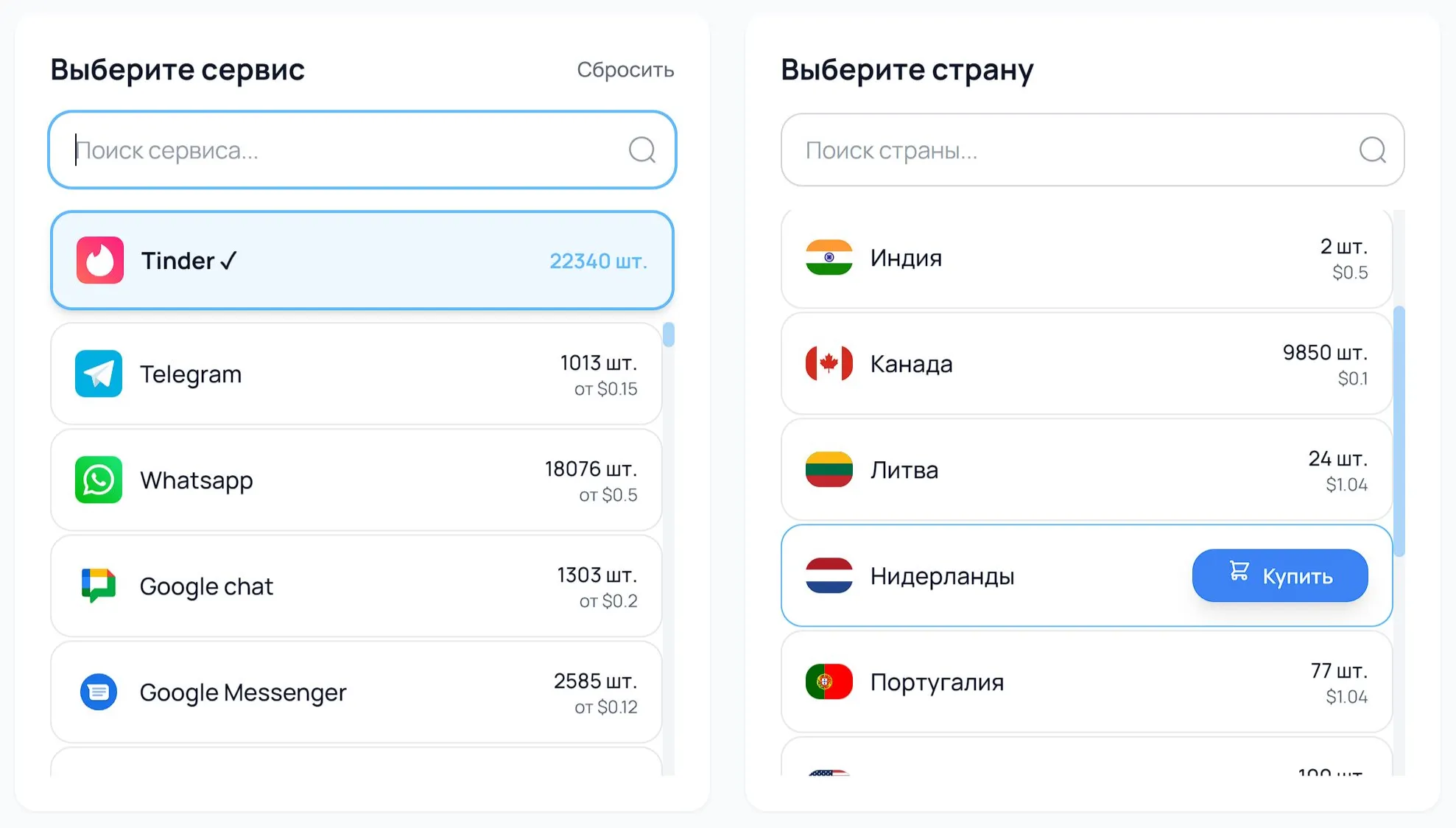
Step 2. After selecting the service and country, click the «Buy» button
Click the «Buy» button to get a virtual number.
Step 3. Copy the issued number in the «Active Numbers» section
Copy the issued number in the «Active Numbers» section and paste it into the application or website where SMS code verification is required.
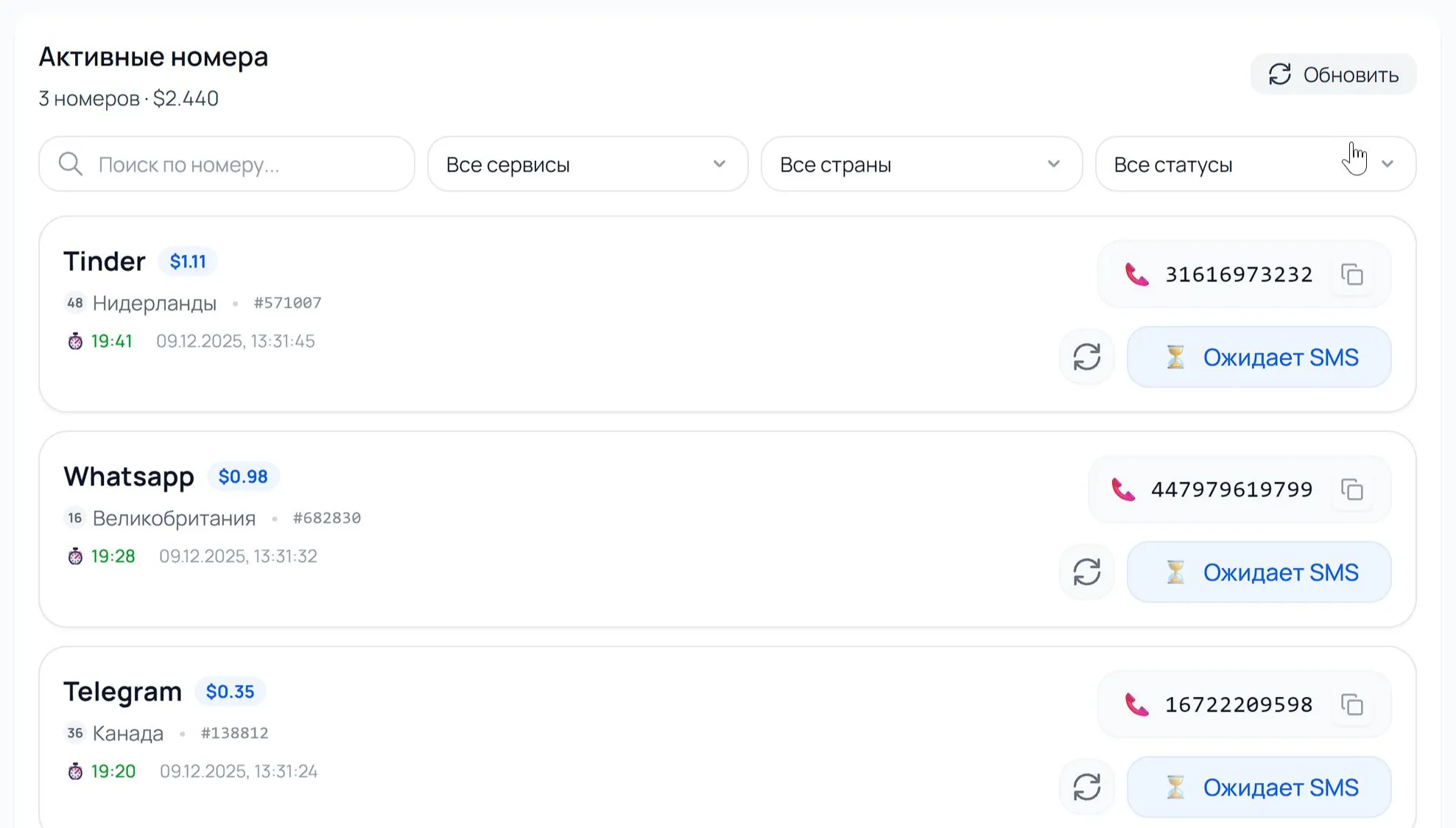
Step 4. Wait for the SMS code to arrive in the «Active Numbers» section
Wait for the SMS code to arrive in the «Active Numbers» section of your account.
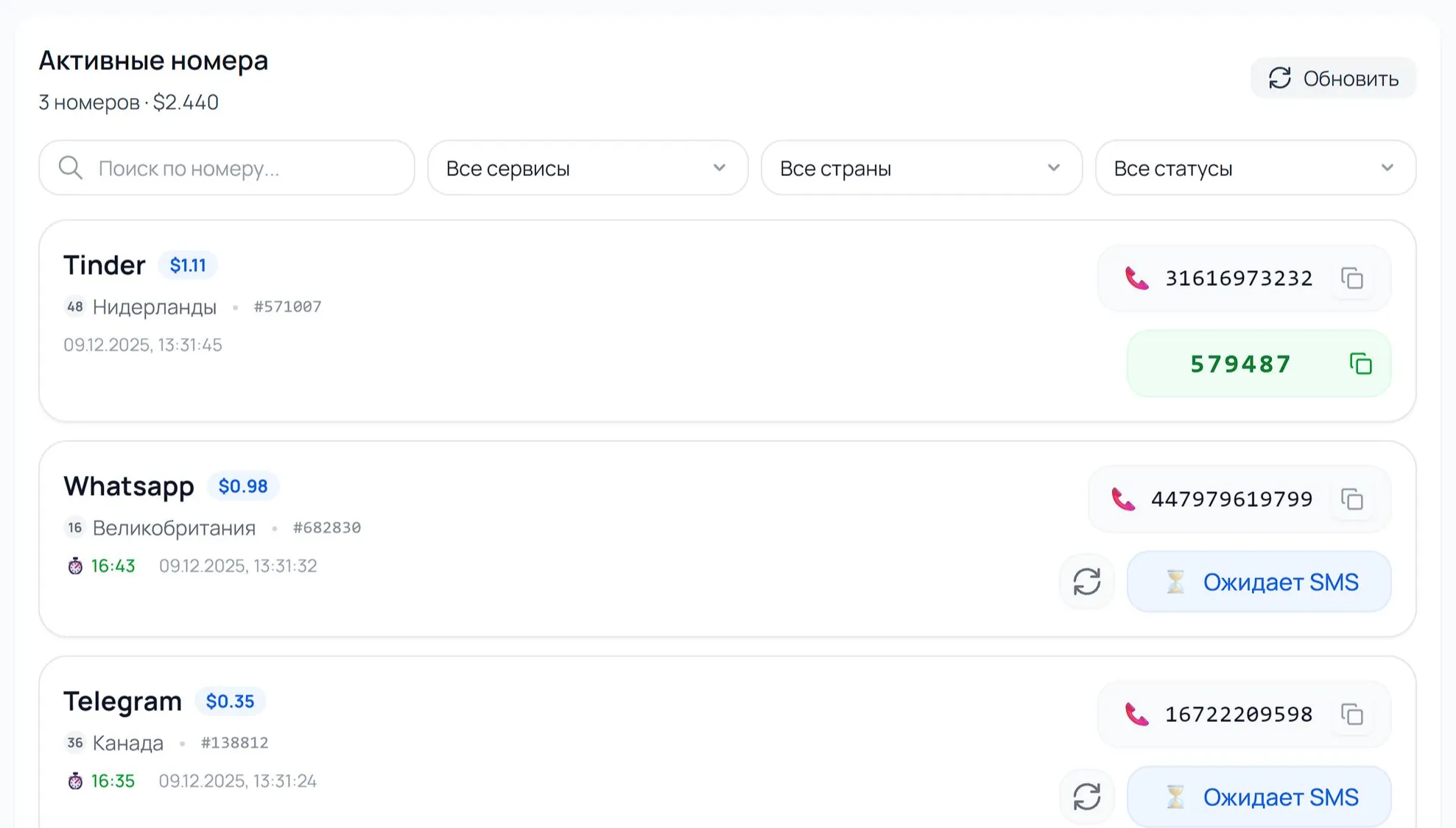
Step 5. Enter the received code in the application or service
Enter the received code in the application or service to confirm registration.
Done! Registration successfully completed.