WhatsApp accounts are connected to phone numbers, which makes choosing the right number important not only during registration but also for future access and account security.
For many people, a regular mobile number is the simplest option. But there are situations where using a separate number can make sense—for example, separating personal and business communication, protecting a primary number from unnecessary exposure, or maintaining a dedicated number for a particular purpose.
A virtual number may seem like an easy solution, but there is an important limitation: not every virtual number is suitable for WhatsApp. WhatsApp has specific requirements for phone-number registration, and some types of numbers are not supported.
The right choice therefore depends on the number type, your ability to receive verification messages or calls, how long you will control the number, the country, current availability, and whether you may need the same number again in the future.
This guide explains how to choose an appropriate number for WhatsApp and what to consider before using a virtual number.
How WhatsApp Phone Verification Works
WhatsApp requires an active phone number when registering an account. During registration, the platform verifies that you have access to the number by sending a registration code via SMS or an automated phone call. For an existing account, email verification may also be available in certain situations if an email address was previously added to the account.
The key requirement is control of the phone number: you must be able to receive the verification method required by WhatsApp and consider whether you will continue to control that number later, which is essential for accounts you intend to keep.
Can You Use a Virtual Number for WhatsApp?
It depends on the type of number. The phrase virtual number covers several different technologies and services, and a number being available online or capable of receiving SMS does not automatically mean that WhatsApp supports it.
For standard WhatsApp registration, certain types of numbers are explicitly unsupported, including VoIP numbers, toll-free numbers, premium-rate numbers, universal access numbers, and landlines (though landlines have a separate exception for WhatsApp Business). This means you should never choose a number simply because a provider labels it as “virtual.” Instead, determine what type of number is actually being provided and whether it meets WhatsApp's current registration requirements.
What Does “Best Virtual Number for WhatsApp” Actually Mean?
There is no single virtual number, country, or provider that is universally best for WhatsApp.
A more useful definition of a suitable number is one that:
meets WhatsApp's registration requirements;
is under your control;
can receive the required verification method;
is appropriate for your intended use;
remains accessible for as long as you need it;
has clear activation or rental conditions;
comes with understandable cancellation and refund rules.
The cheapest number is therefore not necessarily the best number.
Likewise, choosing a number from a particular country does not guarantee successful WhatsApp registration.
Types of Numbers for WhatsApp
Understanding the differences between number types is more important than simply choosing a country.
Personal Mobile Number
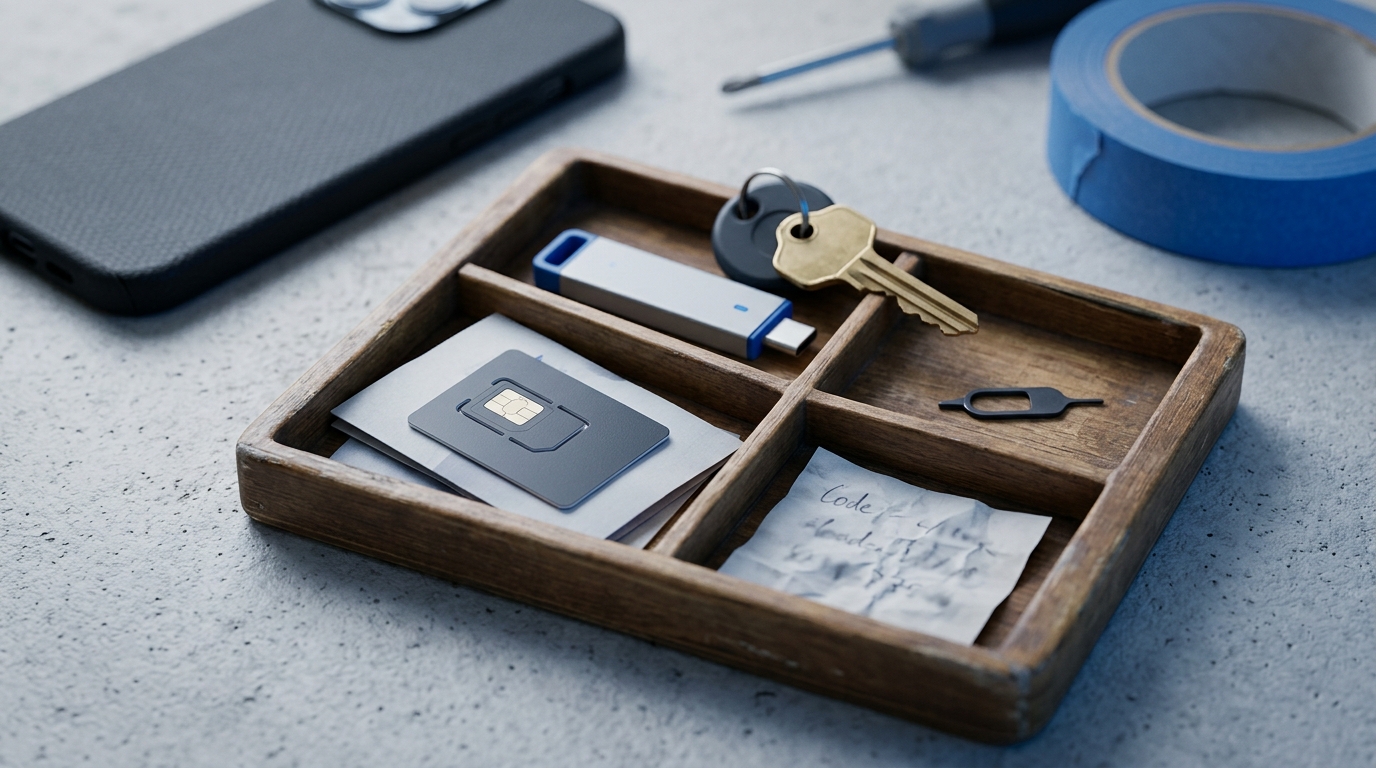
Your regular mobile number is usually the simplest option because you already control it and can normally continue receiving messages and calls.
The main advantage is continuity.
If you need to verify the account again in the future, you are more likely to retain access to the same number.
The disadvantage is privacy. You may not want to use your primary personal number for every online service or communication purpose.
Secondary SIM or eSIM
A secondary SIM or eSIM provides a separate mobile number while allowing you to maintain longer-term control.
This can be useful when you want to separate:
personal and business communication;
primary and secondary contact details;
different legitimate communication purposes.
For an important WhatsApp account, a secondary mobile number that you control long term may offer greater continuity than a temporary activation.
Virtual Mobile Number
Some services provide mobile numbers that can be accessed remotely.
However, the word “virtual” alone does not tell you whether the number meets WhatsApp's requirements.
Before using one, check:
the actual number type;
whether the provider offers it for WhatsApp;
whether it can receive the required verification method;
how long you control the number.
Temporary SMS Number
A temporary SMS number is designed primarily for short-term access.
Its major limitation is that you may not retain control of the number after the activation ends.
This matters because WhatsApp accounts remain associated with phone numbers.
A number that works during initial registration may therefore be unsuitable for an important account if you cannot access it later.
Rental Number
A rental number provides access for a defined period.
Depending on the service, the rental may last days, weeks, or longer.
This can provide more continuity than a one-time activation, but a rental should not be confused with permanent ownership.
Always check:
rental duration;
renewal conditions;
supported message types;
whether incoming calls are supported if required;
what happens when the rental expires.
Temporary vs Long-Term Numbers for WhatsApp
One of the most important questions is not simply which country to choose, but how long you need to control the number. If you are creating an account that you expect to use for months or years, future access is critical. A one-time number is typically available only during the initial verification session, whereas a long-term mobile number, secondary SIM, eSIM, or dedicated rental service provides lasting continuity.
Before using a temporary number, consider what happens if WhatsApp asks you to verify the number again later. If losing access to the number means losing access to an important account or customer history, a temporary activation is the wrong choice.
WhatsApp vs WhatsApp Business
WhatsApp and WhatsApp Business have some differences in how phone numbers can be used.
If you want to use both apps, each account needs its own unique phone number.
There is also an important difference involving landlines.
Standard WhatsApp does not support landline numbers for registration, while landline registration can be supported by WhatsApp Business.
This distinction is another reason not to treat all WhatsApp verification use cases as identical.
Before selecting a number, determine which WhatsApp product you actually intend to use.
When a Separate Number May Make Sense
There are legitimate reasons to use a separate phone number rather than your primary personal number.
Separating Personal and Business Communication
A separate number can help keep business communication distinct from personal communication.
This can be particularly useful when WhatsApp or WhatsApp Business is part of your customer communication workflow.
Protecting Your Primary Number
A phone number can become a long-term identifier across many online services.
Using a separate number where appropriate can reduce unnecessary exposure of your primary personal number.
Maintaining a Dedicated Business Contact
A dedicated number can make it easier to keep business communication associated with the business rather than with an individual's primary personal number.
Testing and Development
Developers and businesses may need legitimate test environments for applications, customer communication systems, or integrations.
For these cases, the important factors are compliance with platform requirements, predictable access, and control of the numbers being used.
When a Temporary Number Is a Poor Choice
Temporary access is not the same as long-term control.
A one-time number can be a poor choice when:
the WhatsApp account is important;
you expect to use it long term;
it represents a business;
losing access would create a significant problem;
you may need to register the account again;
you cannot afford to lose control of the associated number.
For these situations, maintaining control of the phone number is more important than saving a small amount during initial registration.
Does Country Matter for WhatsApp Verification?
Country can matter, but there is no universal ranking of the “best countries for WhatsApp.”
Virtual-number providers may offer numbers from countries such as:
United States;
United Kingdom;
Germany;
France;
Netherlands;
Canada;
India;
Indonesia;
and many others.
This does not mean that one country automatically provides better WhatsApp verification than another.
Country is only one part of the decision.
You should also consider:
number type;
WhatsApp's current requirements;
current availability;
access duration;
provider conditions;
price;
future access to the number.
If you want to understand country selection in more detail, see Best Countries for SMS Verification: Complete Country Guide.
Should You Choose the Cheapest Country?
Not automatically.
Prices can differ significantly between countries and providers.
They can also change according to:
current inventory;
destination service;
operator;
number type;
demand;
access duration.
But a cheaper number provides little value if it does not meet WhatsApp's registration requirements or if you need longer access than the product provides.
A better approach is:
determine what type of number you need;
check whether it is suitable for WhatsApp;
determine how long you need access;
compare available countries;
compare prices among suitable options.
Price should help you choose between appropriate numbers rather than determine the entire decision.
What to Check Before Choosing a Number for WhatsApp
Before obtaining a number, check the following factors.
1. Number Type
This is one of the most important checks.
Do not assume that every number capable of receiving SMS is supported by WhatsApp.
Find out whether the number is a mobile number, VoIP number, landline, or another type.
2. WhatsApp Support
If you are using an SMS verification provider, check whether the number is specifically offered for WhatsApp.
Do not buy a generic number and simply assume that it will work.
3. SMS and Call Capability
WhatsApp registration can use SMS or a phone call.
Understand which methods your number can receive.
4. Country
Choose a country appropriate for your intended use.
Do not assume that a particular country is automatically more trusted or more successful.
5. Access Duration
Determine whether you are buying:
one activation;
short-term access;
a rental;
long-term control.
This distinction becomes important if you need the same number again.
6. Current Availability
A provider can support a country in general while having no suitable WhatsApp numbers available at a particular moment.
Check actual availability rather than relying only on the provider's list of supported countries.
7. Refund and Cancellation Rules
Find out what happens if:
a number cannot be allocated;
the verification message does not arrive;
the number is not accepted;
you cancel the activation.
Policies vary between providers.
8. Future Recovery
Think beyond the initial registration.
If you lose access to the number, what happens to the WhatsApp account?
For important accounts, this question can matter more than the initial price.
For a broader framework covering provider selection, availability, pricing, refunds, and other factors, see How to Choose an SMS Verification Service: Complete Buyer's Guide.
How WhatsApp Verification Works Step by Step
The exact interface can change, but the basic registration process is straightforward.
Step 1: Open WhatsApp
Install or open the current version of WhatsApp on a supported device.
Step 2: Select Your Country
Choose the country associated with your phone number.
Step 3: Enter the Phone Number
Enter the full phone number correctly.
Make sure the country code and number are correct before proceeding.
Step 4: Receive the Registration Code
WhatsApp can verify the number using SMS or a phone call.
The registration code is unique and changes when a new number or device is registered.
Step 5: Enter the Code
Enter the registration code in WhatsApp.
Never share this code with another person.
Step 6: Complete Account Setup
After successful verification, complete the remaining account setup and configure additional security features.
What If the WhatsApp Verification Code Doesn't Arrive?
A missing code does not automatically mean that you need another country or provider.
Check the basics first.
Check the Number Format
Make sure you entered the full international phone number with the correct country code.
A simple formatting error can prevent successful verification.
Make Sure the Number Can Receive SMS or Calls
The number must support the verification method you are trying to use.
If you are using a number provided by an online service, confirm that the activation is still active.
Wait for the Registration Timer
Do not repeatedly request new codes while the registration timer is still running.
Wait for the available retry option.
Try the Available Call Option
If WhatsApp offers phone-call verification after the waiting period and your number can receive calls, that may provide another way to obtain the registration code.
Don't Guess the Code
Repeatedly entering incorrect codes can result in a temporary lockout.
Only enter the actual registration code you received.
Check Your Internet Connection
WhatsApp also requires a working internet connection during registration.
A problem with Wi-Fi or mobile data can interfere with the process even when the phone number itself is working.
Consider Whether the Number Type Is Supported
If the number itself is unsupported, repeatedly requesting another code will not solve the underlying problem.
Check the type of number you are trying to register.
Can a Recycled Number Already Have a WhatsApp History?
Yes.
Mobile operators can eventually reassign inactive phone numbers to new customers.
As a result, a phone number you legitimately receive may previously have been associated with another person's WhatsApp account.
This does not mean the previous owner continues to own the number.
The current owner who can verify the phone number can register it.
However, a recycled number can sometimes create confusing situations.
For example, the previous owner may have configured additional account protection.
If this happens, WhatsApp may require an additional waiting period before certain security settings can be reset.
This is another reason why the history of a phone number should not be confused with the identity of its current legitimate owner.
Are Free Public SMS Numbers Suitable for WhatsApp?
Public SMS inboxes create significant privacy and security problems.
If multiple people can view messages sent to the same number, you do not have exclusive control over the verification channel.
You may also have no reliable way to access the same number later.
For an account that matters to you, a publicly shared SMS number is therefore a poor foundation for account security.
A number associated with an important WhatsApp account should remain under your control.
What Happens If You Lose Access to Your WhatsApp Number?
This is one of the biggest reasons to think carefully before using a temporary number.
Your phone number is a core part of the WhatsApp account.
If you lose access to that number, future registration or recovery can become more complicated.
This is especially important when:
changing phones;
reinstalling WhatsApp;
restoring access;
moving the account to another device;
dealing with a lost or stolen phone.
For a long-term account, continued control of the associated phone number should therefore be part of your security strategy.
What Happens If You Change Your Phone Number?
WhatsApp provides a built-in Change Number feature.
If you legitimately move from one phone number to another, this feature allows you to transfer account information and settings to the new number.
This is preferable to simply abandoning the old number while continuing to rely on an account associated with it.
If you know you are going to lose access to an old number, update the account while you still control it.
This is particularly important because inactive mobile numbers can eventually be reassigned by carriers.
How to Protect Your WhatsApp Account After Registration
Choosing an appropriate phone number is only one part of account security.
Enable Two-Step Verification
WhatsApp provides additional verification features that can help protect the account beyond possession of the phone number.
Configure them after registration.
Add and Protect Your Email Address
Where WhatsApp allows you to associate an email address with your account or security settings, use an email account that you control and protect it properly.
Never Share Registration Codes
A WhatsApp registration code should be treated like a password.
Do not send it to another person, even if they claim to represent WhatsApp or technical support.
Protect Your Device
Use the security features available on your phone, such as a screen lock, fingerprint, or face authentication.
Consider a Passkey
WhatsApp supports passkeys on compatible devices.
A passkey can provide an additional secure authentication method using your device's authentication system.
Keep Your Number Current
If you change your mobile number, update the number associated with WhatsApp rather than leaving an important account tied to a number you no longer control.
Virtual Number vs Secondary SIM for WhatsApp
Neither option is universally superior; the best choice depends on how long you need the account and your recovery requirements.
| Number Type | Access Duration | Account Continuity | Best For |
|---|---|---|---|
| Secondary SIM / eSIM | Permanent (as maintained) | High (full carrier recovery) | Primary business or long-term personal accounts |
| Long-term Rental | Days to months | Moderate (duration of lease) | Projects, campaigns, and medium-term communication |
| Virtual Mobile | Varies by provider | Moderate to low | Remote teams needing separate online access |
| Temporary SMS Number | Single session / short-term | None (one-time activation) | Quick testing and non-critical registrations |
A suitable virtual number provides fast remote access and separation from your primary phone, while a secondary SIM or eSIM offers continuity and predictable recovery if WhatsApp requires re-verification in the future.
Common Mistakes When Choosing a WhatsApp Number
Assuming Every Virtual Number Works
WhatsApp does not support every type of phone number.
Always determine the actual number type.
Choosing Only by Price
A cheap number is not useful if it does not meet the registration requirements or if you lose access too soon.
Assuming One Country Is Always Better
There is no universal country ranking for WhatsApp verification.
Ignoring Long-Term Access
A successful registration today does not guarantee that you will never need access to the phone number again.
Using a Temporary Number for an Important Account
Consider the consequences if the number becomes unavailable later.
Repeatedly Requesting Verification Codes
If registration is failing, diagnose the cause instead of continuously requesting new codes.
Guessing the Verification Code
Repeated incorrect attempts can result in temporary restrictions.
Sharing the Verification Code
Never give your WhatsApp registration code to another person.
Confusing Privacy With Anonymity
Using a separate number can reduce exposure of your primary number, but it does not make your WhatsApp activity anonymous.
Frequently Asked Questions
What Is the Best Virtual Number for WhatsApp?
There is no single best number for everyone.
The appropriate choice depends on number type, WhatsApp's registration requirements, country, access duration, current availability, provider conditions, and whether you need long-term control.
Can I Use a Virtual Number for WhatsApp?
Some numbers provided through virtual-number services may be suitable, but not every virtual number is supported.
WhatsApp specifically excludes several number categories, including VoIP numbers, from standard registration.
Can I Use a VoIP Number for WhatsApp?
Standard WhatsApp currently lists VoIP numbers among unsupported phone-number types for registration.
Can I Use a Landline for WhatsApp?
Standard WhatsApp does not support landline numbers for registration.
WhatsApp Business has an exception that can allow landline registration.
Can I Use a Temporary Number for WhatsApp?
A temporary number may be appropriate only when the number meets WhatsApp's requirements and the limited access period fits your use case.
For an important long-term account, consider whether you may need the same number again.
What Is the Best Country for a WhatsApp Number?
There is no universally best country.
Choose according to number type, intended use, availability, provider conditions, price, and any relevant regional requirements.
Why Am I Not Receiving My WhatsApp Verification Code?
Possible causes include an incorrectly entered number, unsupported number type, SMS or call reception problems, connectivity issues, or temporary registration restrictions.
Check the number and WhatsApp's available verification options before repeatedly requesting another code.
Can I Receive the WhatsApp Code by Phone Call?
WhatsApp supports phone-call verification in appropriate registration flows.
The option may become available after the registration timer has completed.
Can a Phone Number Have Been Used for WhatsApp Before?
Yes.
Mobile carriers recycle phone numbers, so a number assigned to you may previously have belonged to another person who used WhatsApp.
Should I Keep Access to My WhatsApp Phone Number?
For a long-term or important account, maintaining control of the registered phone number is strongly advisable.
Future registration or account recovery may depend on access to that number.
Can I Change My WhatsApp Phone Number Later?
Yes.
WhatsApp provides a Change Number feature for transferring account information and settings from an old number to a new one.
Use it while you still have appropriate access to the account.
Is a Virtual Number Better Than My Personal Number for WhatsApp?
It depends on your priorities.
A separate number can help keep your primary phone number private, while a personal or secondary mobile number under your long-term control may provide greater continuity for an important account.
Conclusion
The best virtual number for WhatsApp is not simply the cheapest number or a number from a supposedly “trusted” country.
Start with the fundamentals:
use a number type that meets WhatsApp's requirements;
make sure you control the number;
confirm that it can receive the required verification method;
consider how long you need access;
check current availability;
understand refund and cancellation conditions;
think about future registration and recovery.
For a short-term use case, limited access may sometimes be sufficient.
For an important WhatsApp account, maintaining long-term control of the associated phone number is much more important.
Most importantly, remember that “virtual number” is a broad category. The fact that a number can receive SMS does not automatically mean that WhatsApp supports it.
Choose the number based on its actual characteristics and your long-term needs—not simply on country, price, or marketing claims.