
You need to sign in to an account, confirm a transaction or recover access. The website sends a verification code to your phone — but your phone has no mobile signal.
Can you still receive the code? Sometimes, yes. The answer depends on what “no signal” actually means, how your mobile operator handles SMS, whether Wi-Fi Calling is available, and whether the service offers another verification method.
Having no mobile data is also very different from having no cellular connection at all. A phone can often receive ordinary SMS messages even when mobile data is turned off.
This guide explains what can still work when cellular coverage is weak or unavailable and what to do if an SMS verification code cannot reach your phone.
Can You Receive a Verification Code Without Mobile Signal?
It depends on how the verification code is being delivered.
If the service sends the code through ordinary SMS and your phone has no connection to the mobile network, the message normally needs another supported path to reach you.
One possible path is Wi-Fi Calling, if your mobile operator and device support SMS over Wi-Fi.
Another possibility is using a verification method that does not depend on SMS at all, such as:
an authenticator app;
a passkey;
a security key;
backup codes;
a trusted device;
email verification;
account recovery.
Which options are available depends on the website or application.
The first step is therefore to determine what “no mobile signal” means in your situation.
First: What Does “No Mobile Signal” Mean?
Several different problems can produce what appears to be the same result.
Situation | Can Verification SMS Still Work? |
|---|---|
No cellular coverage, Wi-Fi available | Sometimes |
Wi-Fi Calling and SMS over Wi-Fi supported | Possibly |
Mobile data turned off | Usually possible if cellular service remains |
Data roaming turned off | SMS may still work |
Weak cellular signal | Possibly |
Carrier outage | Depends on the affected services |
SIM lost or damaged | Not through that SIM on the device |
Number disconnected | Normally no |
Understanding the difference can save a lot of unnecessary troubleshooting.
No Mobile Data Is Not the Same as No Mobile Signal
This is one of the most common sources of confusion.
Your phone uses several different services.
Mobile data provides internet connectivity through the cellular network.
SMS is a telecommunications messaging service and does not normally require mobile data to be enabled.
That means you can potentially:
turn off mobile data;
have no internet connection through your carrier;
and still receive an ordinary SMS.
If your phone remains connected to the cellular network, disabling mobile data alone does not necessarily prevent verification codes from arriving.
The important question is whether the phone still has access to the mobile service required for SMS.
Can You Receive SMS Over Wi-Fi?
Sometimes.
Simply connecting a phone to Wi-Fi does not automatically mean that ordinary carrier SMS messages can be received over that Wi-Fi connection.
The key feature is usually Wi-Fi Calling or an equivalent carrier-supported service.
Despite the name, Wi-Fi Calling is not necessarily limited to voice calls. On supported combinations of device and carrier, SMS functionality may also operate through Wi-Fi.
This can allow a phone to continue using certain carrier services in a location where cellular coverage is weak or unavailable.
But there is an important limitation:
Wi-Fi Calling depends on your mobile operator, device, software and service configuration.
It should not be assumed that every phone connected to Wi-Fi can receive verification SMS without cellular coverage.
How Wi-Fi Calling Can Help
Wi-Fi Calling allows supported carrier services to use an internet connection when the cellular connection is poor or unavailable.
A simplified path can look like this:
Verification Service → SMS Infrastructure → Mobile Operator → Wi-Fi Calling → Your Phone
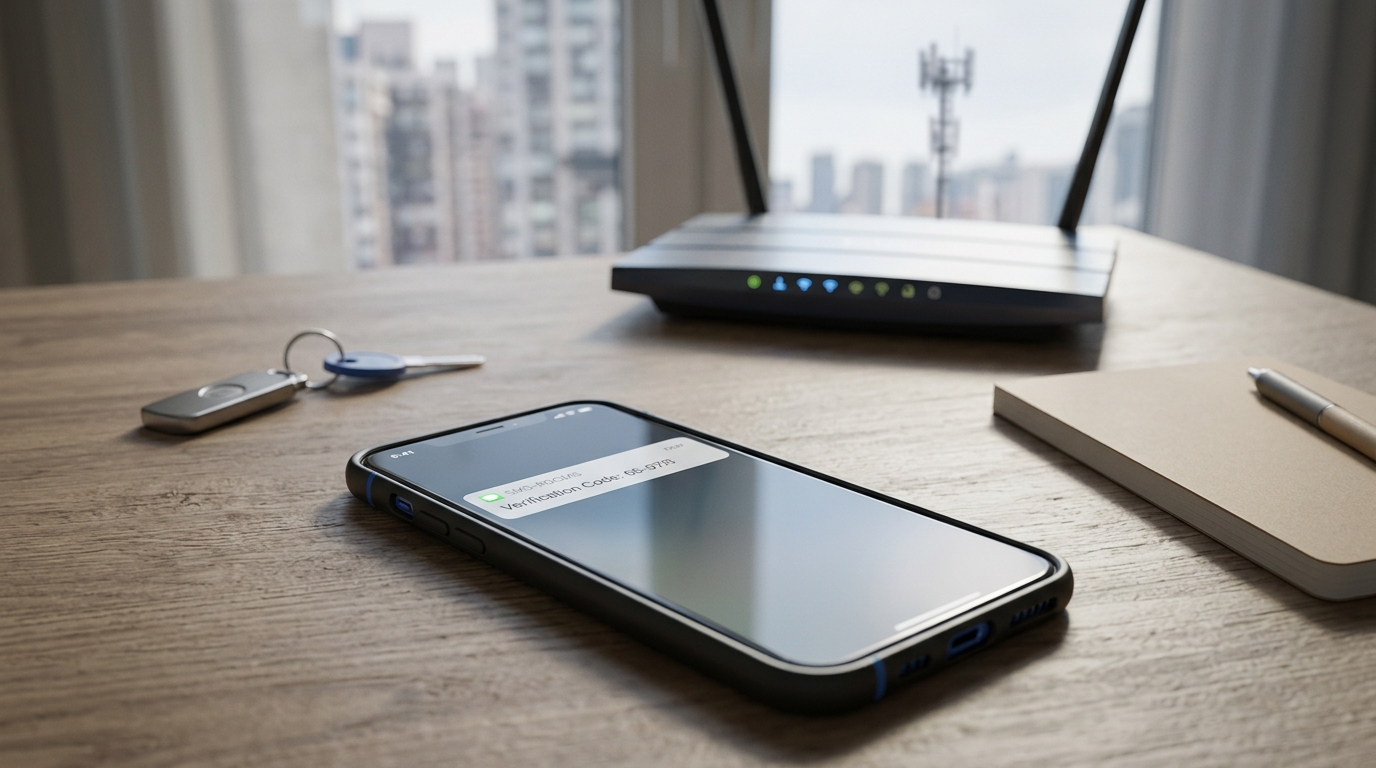
From the website's perspective, it may still be sending a normal verification message to your existing phone number.
The difference is how your mobile operator connects the phone to its services.
This makes Wi-Fi Calling particularly useful in places such as:
buildings with poor indoor cellular coverage;
basements;
remote locations with broadband but weak mobile service;
hotels;
offices with poor carrier reception.
If Wi-Fi Calling is already supported and correctly configured, you may be able to receive carrier services without a usable cellular signal.
Wi-Fi Alone May Not Be Enough
Suppose your phone shows No Service while connected to a strong Wi-Fi network. Internet-based applications may continue to work normally, allowing you to use email, websites, messaging apps, authenticator applications, and cloud services.
However, that does not automatically mean ordinary SMS will function. SMS and internet messaging are separate systems. A verification SMS sent to your mobile number does not simply become an internet message because your phone is connected to Wi-Fi; your carrier must support the relevant functionality (such as SMS over Wi-Fi Calling). This distinction is critical when troubleshooting verification codes.
How to Check Whether Wi-Fi Calling Is Available
The exact menu depends on the phone and operating system.
On many modern devices, Wi-Fi Calling can be found in cellular, SIM or network settings.
Look for an option such as:
Wi-Fi Calling
or a similar carrier-specific feature.
If the option does not appear, possible explanations include:
your carrier does not support it;
your plan does not support it;
your device is not supported;
the feature is unavailable in your region;
carrier settings need to be updated.
Even when Wi-Fi Calling appears in the settings, SMS functionality can vary.
Your carrier is ultimately the best source for determining whether SMS over Wi-Fi is supported for your specific subscription.
What If Wi-Fi Calling Was Never Enabled?
Do not assume you will always be able to activate it after losing cellular coverage.
Some carrier configurations may require registration, provisioning or other setup before the feature works properly.
For this reason, if you frequently travel or spend time in areas with poor coverage, it is better to configure and test Wi-Fi Calling while normal service is available.
Waiting until you are already somewhere with no coverage can make the situation more difficult.
What If You Are Abroad?
International travel creates another common verification problem.
Your phone number may still be active, but your device may not be connected to its home mobile network.
Instead, it may rely on international roaming.
One important distinction is:
data roaming and SMS roaming are not necessarily the same thing.
Turning off data roaming does not automatically mean that your phone cannot receive ordinary SMS.
You may still be registered on a roaming partner's mobile network and able to receive text messages.
However, this depends on your carrier, roaming agreement, destination country and account status.
If you travel internationally and rely on SMS for important accounts, check your carrier's roaming support before departure.
What If There Is No Roaming Network?
If your home carrier has no usable roaming arrangement in the country or area where you are located, your phone may be unable to register with a mobile network.
In that situation, ordinary cellular SMS may not reach the device through the normal roaming path.
Wi-Fi Calling may help if your carrier supports it while roaming and the feature is correctly configured.
Otherwise, you may need to use another verification method provided by the service.
What If Your SIM Is Lost or Damaged?
A lost or damaged SIM creates a different problem from poor coverage.
The verification SMS is addressed to a specific phone number.
If the SIM or eSIM associated with that mobile subscription is no longer accessible, connecting the phone to Wi-Fi does not automatically restore access to the number.
The usual solution is to restore access through your mobile operator.
Depending on the carrier, this may involve:
replacing the physical SIM;
activating a replacement eSIM;
transferring the existing mobile service to another device;
completing carrier identity verification.
The goal is to regain control of the same phone number.
Can a Virtual Number Receive the Code Instead?
Not if the code is being sent to your existing number.
This distinction is extremely important.
Imagine your account is registered to:
+49 170 XXX XXXX
You lose access to that number.
You then obtain a different virtual number:
+44 7XXX XXX XXX
A verification message sent to the original German number will not automatically appear on the new UK number.
They are different destinations.
A virtual number can potentially be used in a new verification process if the website accepts that number and the number supports the required SMS traffic.
It cannot simply intercept or redirect a verification code addressed to another phone number.
What If Your Carrier Has an Outage?
A carrier outage can affect verification even when your phone normally has excellent coverage.
The impact depends on which network systems are affected.
An outage could affect:
voice service;
SMS;
mobile data;
network registration;
Wi-Fi Calling;
multiple services simultaneously.
If ordinary calls and SMS suddenly stop working in a location where they normally work, a carrier issue is possible.
In this situation, repeatedly requesting verification codes may not solve the problem.
The messages may be delayed, fail or arrive later after service is restored.
Why Verification Codes May Arrive Later
SMS delivery is not an instantaneous direct connection between a website and your phone.
The message can pass through verification providers, messaging infrastructure and telecommunications networks before reaching the destination.
We explain that process in detail in our guide to how SMS verification works.
If your phone is temporarily unreachable, the outcome depends on the messaging and carrier infrastructure involved.
A code may arrive after connectivity returns.
However, verification codes usually have limited validity.
A delayed code may therefore reach the phone after it has already expired.
Avoid Requesting Too Many Codes
When a verification message does not arrive immediately, it can be tempting to press Send Code Again repeatedly.
That can make the situation more confusing.
You might eventually receive several codes.
They may arrive in an unexpected order.
Some systems invalidate previous codes when a new one is generated.
Services may also limit repeated verification requests.
A better approach is to wait for the period specified by the service before requesting another code.
If you receive several messages, use the most recent valid code according to the service's instructions.
Alternative Verification Methods When SMS Is Unavailable
Use an Authenticator App If It Is Already Configured
An authenticator app can be extremely useful when cellular coverage is unavailable.
Many authenticator apps generate codes locally on the device.
They do not need to receive a new SMS every time you sign in.
If the authenticator was already configured for the account, you may be able to open the app and generate the required code even without mobile signal.
Depending on the implementation, the code generation itself may also work without an active internet connection.
This makes authenticator-based authentication particularly useful for travel and areas with unreliable cellular coverage.
However, you generally need to configure the authenticator with the account beforehand.
Installing an authenticator app after losing access does not automatically connect it to an existing account.
Use Backup Codes
Some services provide backup or recovery codes when two-factor authentication is configured.
These codes are specifically designed for situations where the normal authentication method is unavailable.
For example, if you cannot receive an SMS, a backup code may allow you to sign in.
Backup codes should be stored securely before they are needed.
Do not keep the only copy somewhere that requires access to the same locked account.
If the service provides recovery codes, treating them as part of your account-recovery plan can prevent major problems later.
Check for a Trusted Device
Some services allow previously authenticated devices to remain trusted.
If your phone cannot receive an SMS, you may still have access through:
another phone;
a tablet;
a laptop;
a desktop browser;
another previously authenticated device.
A trusted device may allow you to approve the login, change authentication settings or begin account recovery.
Do not immediately sign out of every existing device when you lose access to your phone number.
An existing authenticated session can be extremely valuable.
Check Whether Email Verification Is Available
Some services allow verification through email.
If the website offers options such as:
Send code by email
or:
Try another method
you may not need SMS at all.
The exact alternatives vary by service.
Some platforms use phone verification for specific actions but allow email for others.
Always use the recovery and verification options actually offered by the service rather than assuming that SMS is the only possibility.
Use a Passkey or Security Key If Available
Modern services increasingly support authentication methods that do not depend on SMS.
A passkey may allow authentication using a device and its security mechanism, such as a PIN or biometric confirmation.
A hardware security key can also provide authentication without requiring an SMS verification code.
These methods must normally be configured or associated with the account beforehand.
They are therefore most useful as part of a long-term account-security strategy rather than an emergency solution after all other access has already been lost.
What If None of the Alternative Methods Work?
If:
you have no cellular connection;
Wi-Fi Calling does not provide SMS;
you do not have an authenticator;
you have no backup codes;
you have no trusted device;
and the service offers no other verification channel,
the remaining option may be the service's account-recovery process.
Recovery procedures vary considerably.
A platform may ask you to confirm information about the account, use an existing email address, wait for a security period or complete another verification process.
The important point is not to try to bypass the verification system.
Use the official recovery process provided for situations where the original authentication method is unavailable.
What to Do Before Traveling
If you know that you will be somewhere with unreliable mobile coverage, prepare before leaving.
Check whether your important accounts depend exclusively on SMS.
For accounts that support alternatives, consider configuring them while you still have normal access.
Useful preparations can include:
enabling and testing Wi-Fi Calling;
checking international roaming;
configuring an authenticator app;
creating and securely storing backup codes;
adding a passkey where supported;
registering a security key;
confirming your recovery email;
keeping recovery information current;
checking which devices are already trusted.
The objective is not to eliminate SMS completely.
It is to avoid having a single communication channel become the only way to access an important account.
What to Do When You Have No Signal and Need a Code Now
Start with the simplest checks.
First, determine whether the phone truly has no cellular service or whether only mobile data is unavailable.
If there is no cellular service but Wi-Fi is available, check whether Wi-Fi Calling is enabled and supported by your carrier.
If you are abroad, check whether your phone is registered on a roaming network.
If the SIM is missing or damaged, contact your carrier about restoring the same number.
Then look at the website itself.
Search for options such as:
Try another way
Use authenticator app
Send email
Use backup code
Approve on another device
Use passkey
If none of those methods is available, use the service's account-recovery process.
Common Mistakes
Assuming Wi-Fi Automatically Delivers SMS
Internet access alone does not guarantee that ordinary carrier SMS will reach your phone.
Carrier support matters.
Confusing Mobile Data With Mobile Service
Turning off mobile data does not necessarily disable SMS.
Your phone may still be connected to the mobile network.
Buying Another Number for a Code Sent to Your Old Number
A different phone number does not receive messages addressed to the original number.
Requesting Code After Code
Multiple verification attempts can produce delayed messages, expired codes and confusion over which code is valid.
Installing an Authenticator After Losing Access
An authenticator app generally needs to be configured with the account before it can generate valid authentication codes.
Depending on One Phone Number for Everything
If a phone number becomes unavailable, accounts that rely exclusively on that number can become difficult to recover.
Important accounts should have recovery options where the service provides them.
Frequently Asked Questions
Can I receive a verification code with no mobile signal?
Sometimes. If your carrier and device support the necessary SMS functionality over Wi-Fi Calling, you may still be able to receive SMS without normal cellular coverage. Otherwise, you may need another verification method.
Can I receive SMS over Wi-Fi?
It can be possible with supported carrier Wi-Fi Calling functionality. Connecting to Wi-Fi alone does not automatically enable ordinary SMS over Wi-Fi.
Does SMS require mobile data?
Ordinary SMS does not normally require mobile data. A phone can potentially receive SMS while mobile data is disabled as long as the necessary cellular service is available.
Can I receive verification codes in airplane mode?
Ordinary cellular SMS generally cannot use the normal cellular connection while the cellular radio is disabled. Whether SMS can work after Wi-Fi is re-enabled depends on the device, carrier and Wi-Fi Calling support.
Can I receive verification codes while abroad?
Yes, if your mobile service can receive SMS through a supported roaming network or another carrier-supported method such as compatible Wi-Fi Calling. Availability depends on the carrier and destination.
Does turning off data roaming stop verification SMS?
Not necessarily. Data roaming and SMS service are separate. Your phone may still be registered with a roaming network and receive SMS while data roaming is disabled.
Can Wi-Fi Calling work when there is no cellular signal?
Yes, supported Wi-Fi Calling configurations can work with little or no cellular coverage. Availability depends on the device and mobile operator.
Can an authenticator app work without mobile signal?
Many authenticator apps can generate authentication codes locally and therefore do not require mobile signal for each code. The authenticator generally needs to have been configured with the account beforehand.
Can I use a virtual number if my SIM stops working?
A virtual number may potentially be used for a new verification process if the service accepts it. It cannot receive a code that was sent to a different phone number already attached to your account.
Can I redirect a verification code from my old number to a new number?
Not automatically. The website sends the SMS to the number registered for that verification. A new unrelated number is a different destination.
What if my verification code arrives after the signal returns?
Try the code only if it is still valid. Verification codes often expire, and requesting another code can sometimes invalidate an earlier one.
What should I do if I permanently lose access to my phone number?
Check whether the account offers another authentication method. If not, use its official account-recovery process. If you need to keep the same mobile number, contact your carrier about restoring the number to a replacement SIM or eSIM.
Conclusion
Having no mobile signal does not always mean that receiving a verification code is impossible.
The solution depends on what has actually stopped working.
If only mobile data is unavailable, ordinary SMS may continue to work.
If cellular coverage is unavailable but your carrier supports the necessary Wi-Fi Calling functionality, SMS may be able to reach your phone over Wi-Fi.
If the original SIM is lost or damaged, restoring access to the same phone number through your carrier may solve the problem.
And if SMS is unavailable entirely, an authenticator app, backup code, trusted device, passkey, email or official account-recovery process may provide another route — if the service supports it.
The most important lesson is to avoid depending on a single phone number as the only recovery method for important accounts.
When alternative authentication and recovery options are available, configuring them before you lose cellular access makes verification much easier when mobile service disappears.