Apple Account is the account used to access Apple services such as iCloud, the App Store, Apple Music, FaceTime, iMessage, and other services across Apple devices.
If you are familiar with the term Apple ID, the terminology has changed: Apple ID is now called Apple Account. The underlying account remains the same, and existing sign-in credentials continue to work.
Phone numbers play an important role in Apple Account security, particularly when two-factor authentication is enabled. But Apple phone verification is not simply about receiving a one-time SMS during registration.
A phone number can become a trusted phone number associated with your account and may be needed again when you sign in on a new device, verify your identity, change security information, or recover access.
For that reason, the type of number you use — and how long you can access it — matters.
This guide explains how Apple Account verification works, what trusted phone numbers and trusted devices are, how six-digit verification codes work, what happens if you lose access to your number, and what to consider before using a virtual or temporary number with an Apple Account.
Apple ID Is Now Apple Account
Apple previously called its account system Apple ID.
The current name is Apple Account.
If you already have an Apple ID, you do not need to create a new account simply because the terminology changed. Your existing account and sign-in credentials continue to work.
You may still encounter the term "Apple ID" in older articles, search queries, discussions, and instructions.
Searches such as "Apple ID verification code," "Apple ID phone verification," or "Apple ID trusted phone number" generally refer to the same account system that Apple now calls Apple Account.
Throughout this guide, we use the current term Apple Account while mentioning Apple ID where the older terminology helps clarify the topic.
What Is Apple Account Verification?
Apple Account verification is the process of confirming your identity when Apple requires additional proof that you are authorized to access an account or perform a sensitive action.
For accounts protected by two-factor authentication, verification generally combines something you know — your Apple Account password — with access to a trusted device or trusted phone number.
When verification is required, Apple can provide a six-digit verification code.
That code may appear on a trusted Apple device or be delivered through a trusted phone number.
This creates an additional security layer beyond the password itself.
Even if someone obtains your password, they may still be unable to sign in without access to one of the trusted verification methods associated with the account.
What Is a Trusted Phone Number?
A trusted phone number is a phone number associated with Apple Account two-factor authentication that can be used to receive verification codes.
At least one trusted phone number is required when two-factor authentication is used.
This is an important distinction because a trusted phone number should not be viewed simply as a number used once during account creation.
It becomes part of the security structure surrounding the account.
You may need access to a trusted phone number again when you:
sign in on a new device;
do not have access to a trusted device;
request a verification code;
change certain account security information;
lose access to another authentication method;
need to restore access to the account.
This is why continued control of the number matters.
A number that works for one SMS today may not be appropriate if you cannot access it later.
What Is a Trusted Device?
A trusted device is different from a trusted phone number.
A trusted device is an eligible Apple device on which you have already signed in to your Apple Account using two-factor authentication.
Depending on your Apple devices, this can include devices such as an iPhone, iPad, Mac, Apple Watch, or other supported Apple hardware.
Once the device becomes trusted, it can participate in account verification.
For example, when you attempt to sign in to your Apple Account on another device or through the web, a verification code may appear on a trusted device.
The two concepts therefore serve different functions:
Trusted phone number — a phone number that can receive verification codes.
Trusted device — an Apple device already recognized as trusted for your account and capable of helping verify your identity.
Understanding this distinction becomes particularly important if your primary phone is lost, stolen, damaged, or unavailable.
How Apple Two-Factor Authentication Works
Two-factor authentication adds another security layer to an Apple Account.
Instead of relying only on your password, Apple can require a second verification step when you sign in from a new device or in another situation requiring identity confirmation.
You may need:
Your Apple Account password.
A six-digit verification code.
The verification code can be displayed on a trusted device or delivered through a trusted phone number.
After a device has been successfully verified, you normally do not need to enter a new verification code every time you use that device.
However, verification may be required again in certain circumstances.
The important point is that two-factor authentication connects account access to more than a password.
That makes control of trusted devices and trusted phone numbers an important part of long-term Apple Account security.
What Is an Apple Verification Code?
An Apple verification code is a temporary six-digit code used to confirm your identity during two-factor authentication.
It is not the same as your Apple Account password.
It is also different from:
your iPhone passcode;
your Mac login password;
your Screen Time passcode;
a device recovery key;
other security credentials associated with your devices.
A verification code is temporary and is intended for a particular authentication process.
You should only enter a verification code when you are actively trying to sign in or perform a legitimate security action.
If you receive an unexpected verification request or code, do not share it with another person.
How Do You Receive an Apple Verification Code?
There are different ways to obtain an Apple verification code.
If you have access to a trusted device, the code may appear directly on that device.
If you do not have access to a trusted device, you may be able to request a code using a trusted phone number.
Depending on the available verification flow, the code can be delivered through a text message or automated phone call.
This distinction is important when troubleshooting.
If an SMS does not arrive, it does not necessarily mean that you have no other way to verify your identity.
Before changing phone numbers or repeatedly requesting new messages, check whether another trusted device or trusted phone number is already available.
Does Apple Require a Phone Number?
Phone numbers are an important part of Apple Account creation and two-factor authentication.
During account creation, Apple may require a phone number that you can access for verification and security purposes.
For two-factor authentication, at least one trusted phone number is required.
The key concept here is continued access.
Apple Account verification should not be treated as a simple one-time SMS task.
A number can become part of the long-term security and recovery structure of the account.
This makes Apple Account verification different from a website where a number is used once and never matters again.
Using Virtual and Temporary Numbers with Apple Accounts
A virtual number provides telephone or SMS functionality without requiring an additional physical SIM card. While virtual numbers can often receive short messages, verifying an Apple Account involves two distinct criteria: whether the number can successfully receive Apple's initial verification SMS, and whether you will maintain control of that number when Apple requests re-verification in the future.
Apple ultimately determines which phone numbers and line types are eligible for registration and two-factor authentication; no third-party number provider can guarantee universal acceptance.
The Risks of Short-Lived Numbers for Apple Security
Temporary virtual numbers are typically available for only a short window. Because an Apple trusted phone number remains attached to your account for subsequent logins, password resets, and identity checks, losing access to the number introduces unnecessary security friction. While losing a number does not automatically lock you out if you retain trusted devices or secondary phone lines, relying on an ephemeral number for an essential account creates an avoidable single point of failure.
Why Long-Term Access to Your Number Matters
An Apple Account can become increasingly important over time.
It may eventually be connected to:
iCloud data;
photos and videos;
device backups;
App Store purchases;
subscriptions;
Apple Music;
Messages and FaceTime;
Find My;
multiple Apple devices;
payment and account information.
An account that seems relatively unimportant when it is created can become a central part of your digital life.
That changes how you should think about phone verification.
The question should not only be:
Can I receive this verification code today?
You should also consider:
Will I still be able to verify ownership of this account if something goes wrong in the future?
For a long-term Apple Account, continuity of access matters.
Configuring Independent Backup Phone Numbers
Apple allows you to register multiple trusted phone numbers, which substantially reduces reliance on a single mobile plan or physical hardware. An additional trusted number is most effective when it operates independently from your primary iPhone.
Consider a common vulnerability: if your iPhone acts simultaneously as your primary trusted device, houses your only SIM card, and serves as your sole endpoint for SMS codes, losing or damaging that one device eliminates all your verification channels at once.
Eliminating Single Points of Failure
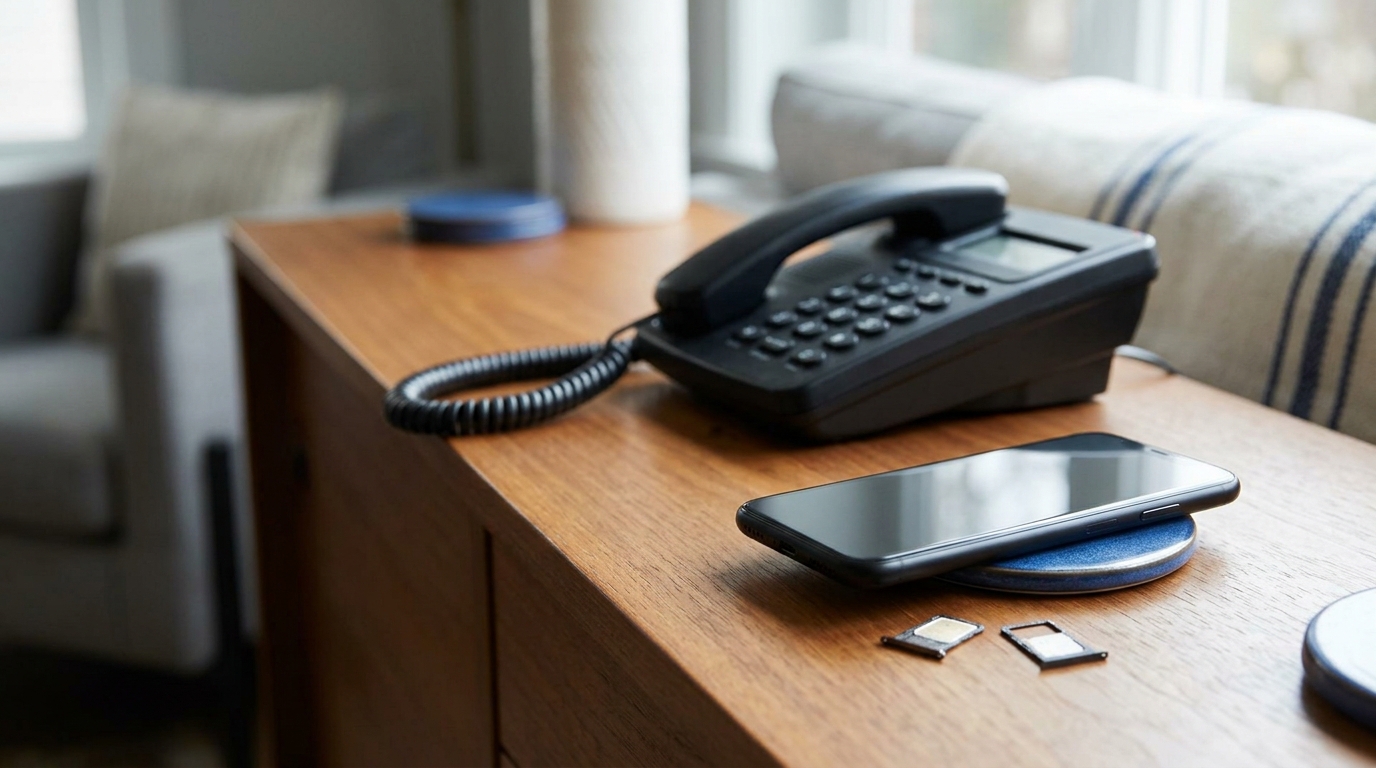
A resilient security configuration ensures that secondary verification methods do not rely on the same physical hardware or network route. Adding a secondary trusted number—such as a landline, a family member's phone, or a dedicated secondary line hosted on another device—preserves an immediate recovery path if your primary smartphone becomes unreachable.
Comparing Number Types for Apple Account Security
Choosing a phone number for an Apple Account depends less on the underlying technology—whether physical SIM, eSIM, or virtual line—and more on the duration of control and reception capabilities. Understanding these differences helps determine which option matches your account's expected lifespan.
| Number Type | Typical Usage | Re-verification Support | Account Loss Risk |
|---|---|---|---|
| Personal Mobile (SIM / eSIM) | Primary long-term accounts, day-to-day devices | High (remains tied to ongoing carrier subscription) | Low (carrier SIM can be reissued if lost) |
| Long-Term Virtual Number | Separating personal contact info, secondary Apple IDs | Moderate to High (as long as lease is renewed) | Moderate (depends on maintaining ongoing rental) |
| Temporary / One-Time Number | Short-term testing or disposable registrations | None (access expires after initial code) | High (lockout risk during future identity checks) |
Keep in mind that data-only travel eSIMs often lack standard SMS reception or voice capabilities, making them unsuitable for Apple verification. Always verify that any number you select can receive standard SMS from automated sender services and will remain accessible as long as the account remains active.
Updating and Managing Trusted Phone Numbers
You can update trusted phone numbers directly through your Apple Account security settings by adding new numbers and removing outdated ones. The optimal moment to perform this update is while you still maintain active access to your existing phone line and trusted Apple devices.
Never wait until a mobile contract ends or a number is deactivated before updating your security settings. Reviewing and refreshing your contact details ahead of time prevents lengthy account recovery procedures later.
What Happens If You Lose Your Trusted Phone Number?
Losing one trusted phone number does not necessarily mean losing your Apple Account.
If you still have access to another trusted phone number or a trusted device, you may still be able to verify your identity and update account information.
The more difficult situation occurs when you permanently lose access to both trusted devices and trusted phone numbers.
In that situation, account recovery may become necessary.
Account recovery is designed for situations where normal verification methods are no longer available.
The process can take time.
This is why maintaining current security information before a problem occurs is much easier than trying to recover an account after every trusted method has become inaccessible.
What Is Apple Account Recovery?
Apple Account recovery is a process intended to help you regain access when normal authentication methods are no longer available.
It should not be treated as a convenient substitute for maintaining trusted devices and phone numbers.
If you permanently lose access to the methods normally used to verify your identity, account recovery may be required.
Recovery can take several days or longer in some situations.
The waiting period exists because restoring access to a protected account is itself a sensitive security action.
For this reason, prevention is preferable.
Keep trusted information current while you still have access to the account.
Why Account Recovery Can Take Time
Two-factor authentication is designed to prevent unauthorized people from accessing an account even if they know the password.
If the normal security mechanisms could be bypassed instantly through a simple support request, much of that protection would be lost.
Account recovery therefore involves additional safeguards.
This can be inconvenient when you genuinely own the account but no longer have access to your trusted methods.
The practical lesson is straightforward:
Do not rely unnecessarily on a phone number that you know you will lose.
Maintain backup verification options before they are needed.
Why an Apple Verification Code May Not Arrive
There is no single reason why an Apple verification code may fail to arrive.
Possible causes include:
an incorrect phone number;
an incorrect country code;
SMS delivery delays;
weak or unavailable mobile service;
the number no longer being active;
the number not supporting the required message;
loss of access to the number;
repeated verification requests;
confusion between older and newer codes;
an issue with the selected verification method.
The first step is to determine whether another trusted verification method is already available.
If you have access to a trusted Apple device, you may be able to obtain the verification code without waiting for SMS.
What to Do If You Don't Receive an Apple Verification Code
Start by checking whether a verification code appears on one of your trusted devices.
If no trusted device is available, review the options presented for receiving a code through a trusted phone number.
Check that:
the number is correct;
the country code is correct;
you still control the number;
the phone can receive messages or calls;
the mobile service is available.
If multiple trusted phone numbers are associated with the account, another number may provide an alternative.
Avoid requesting many verification codes in rapid succession.
If several codes are generated, delayed messages can make it difficult to know which code is current.
SMS Verification vs Trusted Device Verification
SMS is not the only way Apple can provide a verification code.
A trusted Apple device can also display a code.
This creates an important advantage for people who use several Apple devices.
For example, temporary loss of access to your mobile number does not necessarily remove every verification method if another trusted device remains available.
Conversely, relying on one iPhone for both the trusted device and the only trusted phone number concentrates account access in one place.
A more resilient security setup uses independent verification options where practical.
What If Your iPhone Is Lost or Stolen?
Losing an iPhone can affect more than physical access to the device.
If the iPhone is your only trusted device and also contains the only phone number used for account verification, you may lose access to multiple verification methods simultaneously.
This is one reason additional trusted information can be valuable.
Another trusted device or trusted phone number can provide an alternative way to verify your identity.
A sensible security setup assumes that any individual device can eventually be lost, stolen, damaged, or replaced.
Apple Account Verification When Traveling
Travel can create additional verification problems.
Your primary SIM may be unavailable.
Roaming may be disabled.
Mobile coverage may be poor.
You may temporarily use another phone or mobile plan.
Trusted devices can reduce dependence on SMS when verification is required.
If you travel frequently, it is useful to understand which trusted devices and phone numbers are associated with your Apple Account before leaving.
Do not wait until you are abroad and unable to receive a verification code to review your account security settings.
Does the Country of the Phone Number Matter?
Phone numbers are associated with countries, calling codes, mobile operators, and telecommunications infrastructure.
Country can therefore affect practical factors such as:
number availability;
mobile operators;
SMS functionality;
roaming;
pricing;
number type.
However, this does not mean that one country is universally "best" for Apple verification.
A US, UK, German, French, Indian, or other country code does not by itself guarantee successful verification.
Claims that particular countries are automatically more trusted by Apple should not be treated as established facts without reliable evidence.
For a trusted phone number, continued access is generally more important than choosing a country based on unsupported assumptions about verification success.
Does Your Trusted Phone Number Need to Match Your Location?
Your trusted phone number does not need to correspond strictly to your physical location. Users frequently travel, relocate internationally, or maintain foreign mobile plans while managing an Apple Account.
The critical factor is reliable, ongoing control: as long as you can promptly receive verification codes on that line, geographical variations in country codes do not inherently hinder authentication.
Is a Virtual Number More Private for an Apple Account?
Using a separate phone number can reduce the need to provide your primary personal mobile number for every online account.
That can create useful separation between personal communication and other digital activity.
However, a virtual number should not automatically be described as anonymous.
A virtual-number provider may process account, payment, technical, or usage information according to its policies and applicable requirements.
Apple also processes account, device, and security information independently of the phone number.
The practical privacy benefit is therefore separation of contact information rather than guaranteed anonymity.
Apple Account Security Beyond the Phone Number
A trusted phone number is important, but it is only one part of Apple Account security.
Device security matters as well.
Apple devices can be protected using device passcodes, passwords, and biometric authentication such as Face ID or Touch ID where supported.
Keeping trusted devices secure, maintaining current phone numbers, and protecting your credentials together create a stronger security setup than focusing on the SMS code alone.
The objective should not simply be to pass verification.
It should be to preserve secure access to the account over time.
Apple Account Verification for Long-Term Accounts
Most Apple Accounts should be treated as long-term accounts.
They can remain in use for many years and become connected to devices, purchases, subscriptions, personal files, photos, backups, and communication services.
That makes Apple Account verification different from a short-lived website registration.
If you expect to keep the account, choose security methods with the same time horizon.
Ask yourself:
Will I control this number next year?
What happens if I lose my iPhone?
Do I have another trusted device?
Do I have another trusted phone number?
Have I removed numbers I no longer control?
Could I still verify my identity if one method disappeared?
These questions are more important than simply finding the fastest way to receive the first verification code.
Apple Account Verification for Businesses
Businesses should pay particular attention to ownership of authentication methods.
If an Apple Account is important to company operations, it should not become dependent on a phone number controlled personally by one employee.
The company should understand:
who controls trusted phone numbers;
which devices are trusted;
who can access the account;
what happens if an employee leaves;
whether backup access exists;
whether security information remains current.
An account can remain important for years, while employees, contractors, devices, and phone numbers change.
Authentication methods should therefore be managed as part of business continuity rather than as a one-time registration task.
Common Apple Verification Mistakes
One common mistake is treating a phone number as a one-time registration requirement.
With two-factor authentication, a trusted phone number can remain relevant long after initial verification.
Another mistake is relying on one device for both trusted-device access and SMS reception.
A third is using a short-term number without considering whether access to the same number may be required later.
Users can also create unnecessary problems by cancelling an old phone number before updating their trusted account information.
Another mistake is assuming that every virtual number works identically simply because it can receive SMS.
Finally, some people wait until they lose access before thinking about backup verification methods.
Account security is much easier to manage while normal access is still available.
How to Choose a Phone Number for an Apple Account
Start with the expected lifetime and importance of the account.
If this will be your primary Apple Account, assume that you may continue using it for years.
Consider:
whether the number can receive the required verification messages;
how long you will control the number;
whether you can access it independently of your main iPhone;
whether the number may be required again;
whether another trusted number is available;
whether you have additional trusted devices;
what happens if the number is lost or cancelled.
Price and convenience can matter, but they should not be the only factors.
For an important Apple Account, continuity of access is a central consideration.
Apple Account Verification FAQ
Is Apple ID now called Apple Account?
Yes. Apple now uses the name Apple Account instead of Apple ID. Existing accounts and sign-in credentials continue to work.
What is an Apple trusted phone number?
A trusted phone number is a phone number associated with Apple Account two-factor authentication that can be used to receive verification codes.
Does Apple require a trusted phone number?
Two-factor authentication requires at least one trusted phone number associated with the account.
What is an Apple verification code?
An Apple verification code is a temporary six-digit code used to confirm your identity as part of two-factor authentication.
Can I receive an Apple verification code by SMS?
Yes. A trusted phone number can be used to receive verification codes through supported phone-based verification methods.
Can I use a virtual number for Apple verification?
A virtual number may be technically capable of receiving verification messages, but successful verification is not guaranteed. For a long-term Apple Account, continued access to the number is particularly important.
Should I use a temporary number for an Apple Account?
A temporary number can create a long-term access risk if it becomes part of the account's trusted security information and you later lose access to it.
Can I have more than one trusted phone number?
Yes. Additional trusted phone numbers can reduce dependence on a single number or device.
What is the difference between a trusted device and a trusted phone number?
A trusted device is an eligible Apple device recognized through two-factor authentication. A trusted phone number is a number that can be used to receive verification codes.
What happens if I lose my trusted phone number?
If another trusted phone number or trusted device remains available, you may still be able to verify your identity. If you lose access to all trusted verification methods, account recovery may become necessary.
How long can Apple Account recovery take?
Account recovery can take several days or longer in some situations.
Is an eSIM the same as a virtual number?
No. An eSIM is digital SIM technology used to activate a mobile subscription. A virtual number provides phone-number functionality and does not necessarily include a complete mobile subscription.
Is there a best country for Apple verification?
There is no universally best country. A particular country code does not guarantee successful Apple verification.
Why am I not receiving my Apple verification code?
Possible causes include incorrect phone information, SMS delivery delays, network problems, loss of access to the number, or an issue with the selected verification method. If a trusted device is available, you may also be able to obtain a verification code without relying on SMS.
Conclusion
Apple Account verification is not simply about receiving one SMS code.
Apple ID is now called Apple Account, but the underlying account continues to provide access to Apple's ecosystem of devices and services.
With two-factor authentication, trusted phone numbers and trusted devices become important parts of account security. A six-digit verification code can be provided through a trusted verification method when additional identity confirmation is required.
That makes continued access important.
A temporary number may be able to receive a message today, but that does not automatically make it suitable as a trusted number for an Apple Account you expect to use for years.
For a long-term account, think beyond initial verification.
Maintain trusted phone numbers you can continue to access. Consider an additional trusted number that does not depend entirely on your primary iPhone. Keep trusted devices secure. Update obsolete security information before access is lost.
If you permanently lose access to your trusted verification methods, account recovery may become necessary and can take time.
The most important question is therefore not simply:
"Can this number receive an Apple verification code?"
It is:
"Will I still control the verification methods protecting this Apple Account when I need them again?"